


Read Time: Less than 7 Mins
First Published: June 25, 2026
Construction budgeting starts well before the first shovel hits the ground. The estimate your team puts together in pre-construction is the launch point of every financial decision that follows.
Accurate estimates drive construction budgeting by establishing baseline costs, which enable cost control and improve project profitability throughout the job.
How an estimate is translated into a working budget, tracked through the life of a job and adjusted when scope changes is what separates a project that closes up on budget from one that erodes your margins.
There’s a lot that goes into making that handoff work well. Cost codes and change order processes each play a role in keeping your budget aligned with your original estimate.
When the right tools are in place, the construction budgeting process becomes much more manageable. As estimates feed directly into budgets, construction project finances stop being a moving target.
Key Takeaways
- Your estimate is the starting point for your project budget — the two should flow directly into each other
- The pre-construction financial handoff is the process of converting estimated costs into trackable budget line items in your accounting system
- Consistent cost codes between your estimating and accounting systems are key to accurate budget tracking
- Checking budget vs. actual mid-job — not just at closeout — gives you room to make adjustments while they still matter
- Keeping change orders tied to the budget in real time helps you maintain an accurate picture of where the job stands
The Pre-Construction Financial Handoff
The pre-construction financial handoff converts estimated costs into a structured construction budget with trackable cost codes and project phases.
It’s also where cost codes get assigned and project phases get mapped out, so every dollar has a home before work begins.
This step sets up your entire job cost tracking process. When it’s done carefully — with the same level of detail that went into the estimate — your team has a clear financial roadmap to work from throughout the project.

How Estimates Shape the Project Budget
An estimate shapes the project budget by turning each of its line items into a benchmark the job’s actual costs get measured against. A well-built estimate already contains most of what a project budget needs:
- Labor hours
- Material quantities
- Subcontractor costs
- Equipment
- Overhead
The goal of construction budgeting is to take all of that detail and turn it into a structured financial plan your accounting team can work from.
As costs come in throughout the job, those benchmarks are what you’re measuring against.
The closer your estimate reflects real-world conditions — accurate production rates, current material pricing, realistic labor costs — the more reliable your budget will be from day one.
How Cost Codes Make or Break Construction Budget Accuracy
Cost codes are what make an estimate and a budget speak the same language. They let you categorize costs by trade, phase or work type.
When your estimating system and accounting system use the same codes, comparing projected vs. actual becomes straightforward.
If your estimate breaks labor down by phase but your accounting system lumps all labor together, you’ve already lost the ability to track where the money went.
Consistent cost codes enable accurate cost tracking, which improves budget visibility and reduces the risk of cost overruns.
The right construction job costing software enforces that consistency automatically — so cost codes don’t get lost in translation between your estimator and your accounting team.
Tips for Keeping Your Budget Close to Your Estimate
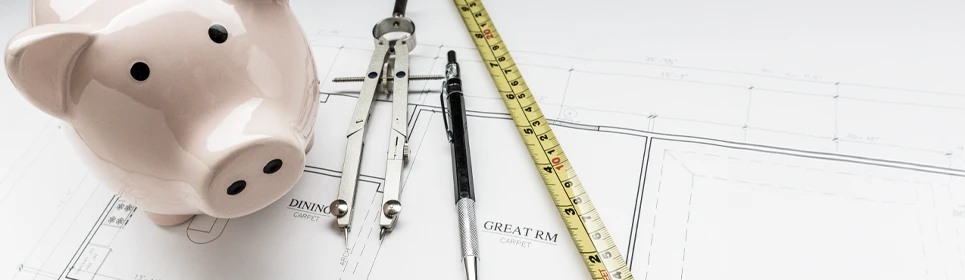
Even the most accurate estimate will see some variance over the course of a project.
Staying on budget requires ongoing monitoring and adjustment to keep project costs aligned with the original estimate.
The goal isn’t perfection — it’s staying informed enough to respond. A few habits go a long way toward keeping actual costs in line with what was planned.
Check Budget vs. Actual by Cost Code — Not Just Overall
Looking at overall project spend only tells part of the story.
Checking budget vs. actual at the cost code level shows you exactly where variance is happening — whether it’s labor running a little heavy in one phase or material costs that came in higher than expected.
That detail is what lets you make targeted adjustments instead of broad ones.
A few other data points worth monitoring regularly:
- Committed costs: Subcontract values and open POs that haven’t been invoiced yet
- Percent complete vs. percent spent: A useful early signal if spending is outpacing progress
- Projected final cost: An updated forecast based on current trends, not original assumptions
Reviewing these mid-job — weekly or at key project milestones — keeps the whole team working from the same financial picture. This also supports ongoing budget forecasting, helping contractors identify potential cost overruns early and take corrective action before margins are impacted.
Keep Change Orders Tied to the Budget
Change orders are a normal part of construction. When scope expands, costs go up — and that’s completely expected.
What matters is making sure approved change orders get reflected in the budget right away, so your job cost reports stay accurate.
When change orders are applied to the relevant budget line items as they’re approved, your financial tracking reflects the actual scope of the job at any given point.
That makes it easier to have clear conversations with owners, project managers and your own team about where the project stands.
Connecting Your Estimating and Accounting Systems
Integrated systems eliminate manual data entry, which improves accuracy and keeps project budgets aligned with actual costs in real time.
One of the biggest sources of budget drift isn’t bad estimating — it’s the gap between your estimating system and your accounting system.
When those two systems don’t talk to each other, information gets re-entered manually, cost codes get mismatched and the connection between your original estimate and your actual job costs gets harder to trace.
When your estimating software integrates directly with your accounting system, that handoff becomes automatic.
Estimated line items flow into your accounting system with the right cost codes already assigned — no re-keying, no translation errors.
The result: from the moment a project is awarded, your budget is already loaded and ready to track — not assembled after the fact from a spreadsheet export.
From Estimate to Closeout: Effective Budgets
A strong estimate is only as useful as the budget it becomes. Without a clean handoff from pre-construction into the field, even the most accurate numbers start working against you.
When the pre-construction financial handoff is thorough, cost codes stay consistent and the budget is monitored throughout the job. Contractors have the financial visibility and project cost tracking they need to catch problems before they compound — and close projects on a solid financial footing.
Getting all of that to work together is a lot easier with software built for it. Spreadsheets and general accounting tools can only take you so far when you’re managing job costs across multiple projects, trades and phases.
FOUNDATION® is construction accounting software built specifically for contractors. It integrates with leading estimating platforms — including:
From estimate to closeout, FOUNDATION gives contractors the tools to manage the entire budgeting process in one place, with real visibility into every dollar across every phase of the job.
Book a demo and watch how FOUNDATION moves your estimate into a live, trackable budget — and keeps it accurate from kickoff to closeout.
Share Article
Make Your Inbox Smarter
Keep on current news in the construction industry. Subscribe to free eNews!
Related Articles

How a Construction Company Tripled Its Workforce and Kept Every Jobsite Accountable
How A.L. Helmcamp, Inc. tripled its workforce while streamlining payroll, HR and safety with an integrated platform built to support
Learn More

Is AI Safe for Certified Payroll and Compliance Reporting?
Is AI safe for certified payroll and compliance reporting? The short answer: it depends on the tool. Certified payroll under
Learn More
Our Top 3 YouTube Videos
Learn about our software more in depth with product overviews, demos, and much more!
ACA & W-2 Services
Our ACA reporting & e-filing services include official 1094-C and 1095-C IRS reporting, optional e-filing (no applying for a TCC code required), mailing to your employees and experienced support to help you.

Client Testimonials
There are plenty of reasons to make FOUNDATION your choice for job cost accounting and construction management software — just ask our clients!
Product Overviews
From job cost accounting software, to construction-specific payroll. Get an overview on your next all-in-one back-office solution.